
Ciko
Адміністратор
-
Зареєстровано
-
Відвідування
Весь контент Ciko
-
Перейти на FTP-Клиент. /public/js/ips.gallery_uploader.jsНайти строку 494 file_queue_limit: 10,Заменить на: file_queue_limit: 100,Сохранить и повторно загрузить файл.
-
Админ Панель-Внешний вид-Ваш стиль-show_image найти: <span id='theImage'> {$info['image']} </span>Заменить на: <span id='theImage'><a href='{$info['img_tag_data']['url']}' {$info['img_tag_data']['rel']} class='gal' title='{$info['caption']}'> {$info['image']}</a> </span>
-
Перейти на FTP-Клиент. /sources/components_acp/umi.phpНайти строку 350 TYPE=MyISAM" ) );Заменить на: ENGINE=MyISAM" ) );Найти строку 605 // Remove the MySQL table types$query = str_ireplace( 'TYPE=MyISAM', '', $query );$query = str_ireplace( 'TYPE=INNODB', '', $query );$query = str_ireplace( 'TYPE=HEAP' , '', $query );Заменить на: // Remove the MySQL table types$query = str_ireplace( 'ENGINE=MyISAM', '', $query );$query = str_ireplace( 'ENGINE=INNODB', '', $query );$query = str_ireplace( 'ENGINE=HEAP' , '', $query );Найти строку 1659 $this->ipsclass->DB->query( $this->fix_create_table( "CREATE TABLE IF NOT EXISTS ".SQL_PREFIX.$v['name']['VALUE']." (".$v['data']['VALUE'].") TYPE=".$v['type']['VALUE'] ) );Заменить на: $this->ipsclass->DB->query( $this->fix_create_table( "CREATE TABLE IF NOT EXISTS ".SQL_PREFIX.$v['name']['VALUE']." (".$v['data']['VALUE'].") ENGINE=".$v['type']['VALUE'] ) );Сохранить /Перезагрузить umi.php.
-
Перейти на FTP-Клиент. /sources/tasks/lotto.phpНайти на строке 155 $members_current_points = $get['points'];Заменить на: $members_current_points = $get['deposited_points'];Найти строку 161 $this->ipsclass->DB->do_update( 'members', array( 'points' => $points ), "id=".$row['m_id'] );Заменить на: $this->ipsclass->DB->do_update( 'members', array( 'deposited_points' => $points ), "id=".$row['m_id'] );Найти строку 193 $message = "{$this->ipsclass->lang['msg_content']}<strong>{$total_points}</strong>";Заменить на: $message = "{$this->ipsclass->lang['msg_content']}<strong>{$total_points}</strong><br /><br />These have been deposited into your iPoints bank account.";Сохранить/Загрузить lotto.php
-
-
Название: CSS3 Breadcrumbs Добавил: Ciko Добавлен: 27 дек. 2015 Категория: Хуки для IPB 3.4.x Язык: RUS Изменяет вигляд навигацию. Нажмите здесь, чтобы скачать файл
-
Исчезновение боковой панели форума при прокрутки страницы. Когда боковая панель выходит из области видимости, она исчезает, а форум расширяется на всю страницу. [media]https://www.youtube.com/watch?v=uLeOA9r9F6w[/media] Данная функция используется во ВКонтакте, на страницах пользователей и групп. Когда левая информационная панель выходит из области видимости, правая страница контента расширяется.Безкоштовний
-
Название: (CSI/IPS/MODULE) Скрытие боковой панели при прокрутке страницы 3.0.3 Добавил: Ciko Добавлен: 27 дек. 2015 Категория: Хуки для IPB 3.4.x Язык: RUS Автор перевода: KitsuneSolar Автор: KitsuneSolar Исчезновение боковой панели форума при прокрутки страницы. Когда боковая панель выходит из области видимости, она исчезает, а форум расширяется на всю страницу. Данная функция используется во ВКонтакте, на страницах пользователей и групп. Когда левая информационная панель выходит из области видимости, правая страница контента расширяется. Нажмите здесь, чтобы скачать файл
-
На вашем форум сечас такое вообще не вижу.
-
здесь много есть меню разних: http://pcvector.net/scripts/menu_and_navigation/page/8/
-
Было: Сечас: Открыть: ACP - Внешний вид - Ваш стиль - Темы - Show_attachments Найти: <span class="desc lighter">{$data['attach_hits']} {$this->lang->words['attach_hits']}</span>Заменить на: <span class="desc lighter"> {$this->lang->words['attach_hits']}{$data['attach_hits']}</span>


-
Админ Панель-Внешний вид-Ваш стиль-css-ipb_styles.css добавит у самий ныз: #submenu{padding-top:12px;padding-bottom:7px;background:#E4E5E9;box-shadow:#DFDDDD 0px 1px 0px 0px} #submenu img{opacity:0.9;width:150px;height:97px;margin-left:11px} #submenu img:hover{opacity:0.95}.__like{margin-top:23px} #submenu .list_ty1 li{float:left;width:185px;margin:0 0 8px 0;padding:0;height:101px;overflow:hidden} #submenu .list_ty1{overflow:hidden;margin:0 0 0 18px;padding:0;list-style:none;height:101px}.ipsSideMenu ul, .submenu_container{background:url("http://forum.fiveworld.su/public/style_images/fiveworld/trans90.png") repeat;background:rgba(0,0,0,0.9);font-size:11px;border:0;min-width:140px;-webkit-box-shadow:none;-moz-box-shadow:none;box-shadow:none;-moz-border-radius:0 0 4px 4px;-webkit-border-bottom-right-radius:4px;-webkit-border-bottom-left-radius:4px;border-radius:0 0 4px 4px} .submenu_container li{padding:0;border:0;float:none !important;min-width:150px}#primary_extra_menucontent a, #more_apps_menucontent a, .submenu_container a{display:block;padding:8px 10px;color:#fff}#primary_extra_menucontent a:hover, #more_apps_menucontent a:hover, .submenu_container a:hover{background:url("http://forum.fiveworld.su/public/style_images/fiveworld/transw10.png") repeat;background:rgba(255,255,255,0.1);color:#fff}#primary_extra_menucontent li:last-child a, .submenu_container{width:260px} #community_app_menu .submenu_container li{width:260px} Админ Панель-Внешний вид-Ваш стиль-Глобальные-globalTemplate найти: </div> <script type='text/javascript'> if( $('primary_nav') ){ ipb.global.activateMainMenu(); } </script> Перед ним вписываем: <div id="submenu"> <ul class="list_ty1"> <center> <li><p class="thumb"><a title="Быстрый Старт" href="#" target="_blank"> <img src="http://forum.fiveworld.su/public/style_images/fiveworld/new/start1.jpg" alt="" /></a></p></li> <li><p class="thumb"><a title="Тестовый Сервер х50" href="#"> <img src="http://forum.fiveworld.su/public/style_images/fiveworld/new/test1.jpg" alt="" /></a></p></li> <li><p class="thumb"><a title="Безопасность" href="#"> <img src="http://forum.fiveworld.su/public/style_images/fiveworld/new/security1.jpg" alt="" /></a></p></li> <li><p class="thumb"><a title="Голосовать за любимый сервер" href="#"> <img src="http://forum.fiveworld.su/public/style_images/fiveworld/new/vote1.jpg" alt="" /></a></p></li> <li><p class="thumb"><a title="Поддержка" href="#" target="_blank"> <img src="http://forum.fiveworld.su/public/style_images/fiveworld/new/support1.jpg" alt="" /></a></p></li> <li><p class="thumb"><a title="Мы Вконтакте" href="#" target="_blank"> <img src="http://forum.fiveworld.su/public/style_images/fiveworld/new/vk1.jpg" alt="" /></a></p></li> </center> </ul> </div>

-
Админ Панель-Внешний вид-Ваш стиль-globalTemplate вставить куда вам удобно: <!-- ::: MAIN CONTENT AREA ::: --> <div id='content' class='clearfix'> <div id="ipbwrapper"> <table width="100%" cellspacing="0"> <tr><td width="50%" valign="top"> <div style="padding-left:0px"> <h3 class="latest_news-title">Новости</h3> <table cellspacing="0" cellpadding="0" width="100%"><tr><td> <div class="news_date">18.08.2013</div></td><td width="100%"><div class="news_title"> <a href="ссылка новость">Новость 1</a></div></td></tr><tr><td> <div class="news_date">18.08.2013</div></td><td width="100%"><div class="news_title"> <a href="ссылка новость">Новость 2</a></div></td></tr><tr><td> </tr> </table> </td> <td style="float:right"> <div style="padding-right:75px"> <a href="ссылка сайт" target="_blank" ref="nofollow"> <img src="ссылка картинка"/></a><p> </br> <a href="ссылка сайт" target="_blank" ref="nofollow"> <img src="ссылка картинка"/></a> </div> </td> </tr></table><br> <!-- ::: CONTENT ::: --> Админ Панель-Внешний вид-Ваш стиль-css-ipb_styles.css добавить у самий ныз: .news_date { padding: 1px 8px 1px; font-weight: bold; white-space: nowrap; font-family: Verdana,Helvetica; color: #333; background: #F2F2F2; border: 1px solid #B4B4B4; text-align: right; } .news_title { padding: 3px 8px 2px; font-family: Verdana,Helvetica; background: transparent url(http://ваш сайт/showimage/hr400ltrgr_1342471_8780777.jpg) no-repeat left top;} .news_title a:link, .news_title a:visited, .news_title a:active, .news_title a:hover { font-family: Verdana,Helvetica; font-size: 12px; color: #222; text-decoration: none; } Собственно сама картинка.


-
Расскажу вам как можно изменить окно смайлов в редакторе. По дефолту они расположены одной строкой, а мы сделаем показ всех смайлов в одном окне. 1. Начнем с того, что пройдем в файл /admin/sources/classes/editor/composite.php Найти: $options['smilies'] = $this->fetchEmoticons( 80 );И замените цифру 80 например на 120 - зависит от того сколько у вас смайлов Сохраняем и заливаем обратно. 2. Пройти ACP - Внешний вид - Ваш стиль - CSS - ipb_ckeditor.css Найти: .ipsSmileyTray{position: relative;text-align: center;overflow: auto;margin: 0px auto 0px auto;padding: 4px 24px 4px 24px;min-width: 600px;width: 75%;height: 32px;border: 1px solid #D5DDE5;-moz-border-radius: 3px;-webkit-border-radius: 3px;border-radius: 3px;И заменитеheight: 32px;На свое значение - это зависит от количества ваших смайлов.3. Теперь последний шаг уберем стрелочку перелистывания смайлов Найти: .ipsSmileyTray .ipsSmileyTray_next {background: transparent url('{style_images_url}/editor/next.png') no-repeat;background-position: 0px 10px;display: inline-block;/*float: right;position: relative;right: -20px;*/position: absolute;right: 5px;top: 4px;width: 13px;height: 30px;cursor: pointer;}Заменить на: ///.ipsSmileyTray .ipsSmileyTray_next {background: transparent url('{style_images_url}/editor/next.png') no-repeat;background-position: 0px 10px;display: inline-block;/*float: right;position: relative;right: -20px;*/position: absolute;right: 5px;top: 4px;width: 13px;height: 30px;cursor: pointer;}///Чтобы убрать надпись "Показывать все" ACP - Внешний вид - Ваш стиль - CSS - ipb_ckeditor.css Найти: .ipsSmileyTray_all {display: block;width: auto;margin: 6px auto 0px auto;text-align: center;cursor: pointer;font-size: 11px !important;}Ниже добавить: #ips_x_smile_show_all {display:none}

-
После обновления при редактировании в расширенном режиме возникают ошибки, вот пример одной из ошибок Warning: sprintf() [function.sprintf]: Too few arguments in /users/maddmewes/www/cache/skin_cache/cacheid_1/skin_post.php on line 469 Warning: Cannot modify header information - headers already sent by (output started at /users/maddmewes/www/cache/skin_cache/cacheid_1/skin_post.php:469) in/users/maddmewes/www/intern/sources/classes/output/formats/html/htmlOutput.php on line 114 Warning: Cannot modify header information - headers already sent by (output started at /users/maddmewes/www/cache/skin_cache/cacheid_1/skin_post.php:469) in/users/maddmewes/www/intern/sources/classes/output/formats/html/htmlOutput.php on line 127 Warning: Cannot modify header information - headers already sent by (output started at /users/maddmewes/www/cache/skin_cache/cacheid_1/skin_post.php:469) in/users/maddmewes/www/intern/sources/classes/output/formats/html/htmlOutput.php on line 136 Warning: Cannot modify header information - headers already sent by (output started at /users/maddmewes/www/cache/skin_cache/cacheid_1/skin_post.php:469) in/users/maddmewes/www/intern/sources/classes/output/formats/html/htmlOutput.php on line 137 Warning: Cannot modify header information - headers already sent by (output started at /users/maddmewes/www/cache/skin_cache/cacheid_1/skin_post.php:469) in/users/maddmewes/www/intern/sources/classes/output/formats/html/htmlOutput.php on line 141 Для этого нужно пройти в ACP - Внешний вид - Языки и в поле поиска ввести used_space и меняем для used_space перевод на: Использовано места %s (Макс. размер для одного файла: %s) После нужно выполнить для used_space_js заменить перевод на: Использовано места [left] (Макс. размер для одного файла: %s) Сохраняем и радуемся.
-
В IP.Downloads 2.5.0 при обновлении до версии форума IPB 3.3.1 исчезают из категории список файлов, остается только один. Исправляем следующим образом Открыть файлadmin/applications_addon/ips/downloads/modules_public/display/category.phpНайти: $this->registry->downloadsTags->getCacheJoin( array( 'meta_id_field' => 'f.file_id' ) ) ) ) ); $this->DB->execute(); while( $row = $this->DB->fetch() )Заменить на:$this->registry->downloadsTags->getCacheJoin( array( 'meta_id_field' => 'f.file_id' ) ) ) ) ); $res = $this->DB->execute(); while( $row = $this->DB->fetch( $res ) )Сохранить и залить обратно.
-
При заходе в админке в приложение награды возникает такая ошибка, но не у всех! Fatall Error forum/admin/applications_addon/other/awards/modules admin/system/root.php on line 97 Убираем ее так: Проходим на фтп вашего форума и открываем файл root.php /admin/applications_addon/other/awards/modules admin/system/root.phpИщем: # Get the latest version$curl_lv = curl_init();curl_setopt($curl_lv, CURLOPT_URL, "http://www.invisionenvy.com/versions/" . INV_APP_NAME . "_latest.html");curl_setopt($curl_lv, CURLOPT_HEADER, 0);curl_setopt($curl_lv, CURLOPT_RETURNTRANSFER, 1);$lvd = @curl_exec($curl_lv);curl_close($curl_lv);list($latest_version, $long, $download_url) = explode(",", $lvd);if(!is_numeric($long)){$latest_version = "Error";}else{if($long > INV_APP_VERSION_LONG){$dwnld = "<tr> <td colspan='2' align='center'><a href='{$download_url}' target='_blank' class='ipsBadge badge_green'>Download Version {$latest_version} from Invision Envy</a></td></tr>";}}Удалить.
-
Сокращаем название тем в боковом блоке Пройти ACP - Внешний вид - Ваш стиль - Шаблоны - Список форумов - hookRecentTopics Найти: {$r['topic_title']}Заменить на: {parse expression="IPSText::truncate( $r['topic_title'], XX)"}Где ХХ это кол-во символов названия темы.
-
При нажатии на кнопку Администрация на форуме ipb Может произойти такая ошибкаCatchable fatal error: Object of class ipsRegistry could not be converted to string in /home/***/public_html/cache/skin_cache/cacheid_12/skin_stats.php on line 92 Или ошибка сервера 500 Переходим: Админ Панель-Внешний вид-Ваш стиль-Статистика - group_strip найти: <li><a href="{parse url="showforum={$id}" base="public" template="showforum" seotitle="$this->registry->class_forums->forum_by_id[ $id ]['name_seo']"}">{$name}</a></li>Заменить на: <php>$seoName = $this->registry->class_forums->forum_by_id[$id]['name_seo'];</php>
-
Довольно часто при установке форума IP.Board вылетает ошибка нехватки памяти для выполнения некоторых скриптов. Ошибка выглядит примерно так: Чтобы её исправить, необходимо произвести изменения в initdata.php, который можно найти в корне форума. После кода: //--------------------------------------------------------------------------// ADVANCED CONFIGURATION: DEBUG//--------------------------------------------------------------------------Прописать: ini_set("memory_limit","64M");
-
Если на форуме установлено много приложений, то они начинают не помещаться в строке навигации, сползая или же вовсе исчезая, вдобавок появившееся в скинах поле быстрого поиска перекрывает и забирает часть места на этой самой строке навигации, в результате желательно бы убрать часть ссылок в выпадающее (или нативное) меню (на подобии того, что есть при нажатии на Ваш ник в правом верхнем углу, где выпадает меню с настрйоками, список друзей и ссылками на галерею, блог и прочее) на этом и других форумах нашёл как это делать для второй линейки форумов, в тройке поменялись классы в скинах, поэтому старые примеры не подошли, хотя и создаются по подобию, в результате немного подумав, решил взять за образец то самое верхнее правое меню которео выпадает при нажатии на ник открываем АЦ на своём форуме, затем идём в Внешний вид -> Управление стилями и шаблонами и выбираем "Управление шаблонами и CSS" для Вашего стиля в списке шаблонов "Глобальные" находим "globalTemplate" и открываем его, затем ищем блок <div id='primary_nav'>это и есть начало блока строки навигации теперь нам нужно добавить следующую конструкцию в этот блок <li id='menuother' class='left ipbmenu'><a href='#' onclick='return false;' title='Прочее >>'><b> Прочее >> </b></a></li><div id='menuother_menucontent'><a href="#">Меню 1</a><a href="#">Меню 2</a><a href="#">Меню ...</a><a href="#">Меню ...</a></div><script type='text/javascript'><!--if( $('menuother_menucontent') ){ $('menuother_menucontent').hide(); }//--></script>Пояснения что здесь важно, а что Вы можете менять на своё усмотрение: 1) menuother - названеи меню, только на английском, уникальное и не совпадающее с другими id для других элементов шаблонов на Вашем форуме, 2) в элементе который будет представлять ссылку на выпадающее меню указывается только это название, а в блоке содержащем элементы выпадающего меню, а также в скрипте обязательно добавляем окончание "_menucontent" 3) элемент <li> выбран в качестве обрамляющего ссылку, чтобы встроится в стандартное место в строке навигации, но Вы можете поместить ссылку в любое место в любом шаблоне Вашего форума, ссылка это: <a href='#' onclick='return false;' title='Прочее >>'><b> Прочее >> </b></a>пример блока строки навигации: (красным показано что добавлено в стандартный блок) <div id='primary_nav'><div id='search'>{parse template="quickSearch" group="global" params=""}</div><ul><if test="showhomeurl:|:$this->settings['home_url']"><li id='nav_home' class='left'><a href='{$this->settings['home_url']}' title='{$this->lang->words['homepage_title']}' rel="home">{$this->settings['home_name']}</a></li></if>{parse variable="forumActive" default="" oncondition="IPS_APP_COMPONENT == 'forums'" value="active"}{parse variable="membersActive" default="" oncondition="IPS_APP_COMPONENT == 'members'" value="active"}{parse variable="helpActive" default="" oncondition="IPS_APP_COMPONENT == 'core' AND $this->request['module'] == 'help'" value="active"}<if test="!ipsRegistry::$applications['forums']['app_hide_tab']"><li id='nav_discussion' class='left {parse variable="forumActive"}'><a href='{parse url="act=idx" seotitle="false" base="public"}' title='{$this->lang->words['go_to_discussion']}'>{$this->lang->words['discussion']}</a></li></if><li id='menuother' class='left ipbmenu'><a href='#' onclick='return false;' title='Прочее >>'><b> Прочее >> </b></a></li><div id='menuother_menucontent'><if test="!ipsRegistry::$applications['members']['app_hide_tab']"><li id='nav_members' class='left {parse variable="membersActive"}'><a href='{parse url="app=members" base="public" template="members_list" seotitle="false"}' title='{$this->lang->words['go_to_memberlist']}'>{$this->lang->words['tb_mlist']}</a></li></if><if test="applicationsloop:|:is_array($header_items['applications']) AND count($header_items['applications'])"><foreach loop="applications:$header_items['applications'] as $data"><if test="showingapp:|:$data['app_show']">{parse variable="appActive" default="" oncondition="$data['app_active']" value="active"}<li id='nav_app_{$data['app_dir']}' class="left {parse variable="appActive"}"><a href='{parse url="{$data['app_link']}" seotitle="false" base="public"}' title='{parse expression="sprintf( $this->lang->words['go_to_prefix'], IPSLib::getAppTitle($data['app_dir']) )"}'>{IPSLib::getAppTitle($data['app_dir'])}</a></li></if></foreach></if></div><script type='text/javascript'><!--if( $('menuother_menucontent') ){ $('menuother_menucontent').hide(); }//--></script></ul></div>Также для того, чтобы перенести оформление для элементов выпадающего меню, Вам нужно подправить CSS стиль Вашего шаблона, для этого в том же окне где выбирали и редактирвоали шаблон "globalTemplate" нажимаете по вкладке CSS и выбираете "ipb_styles.css", в нём находите блок #primary_nav {...}и копируете его ниже меняя название элемента на название Вашего меню с добавлением окончания "_menucontent", в моём варианте это выглядит так: #primary_nav { background: #444; font-size: 0.95em; border: 1px solid #666; border-bottom: 5px solid #f8b04a; padding-left: 10px; height: 31px; border-radius: 5px 0 0 0; -moz-border-radius: 5px 0 0 0; -webkit-border-top-left-radius: 5px;}#menuother_menucontent { background: #444; border: 1px solid #666; padding-left: 10px; height: 31px; border-radius: 5px 0 0 0; -moz-border-radius: 5px 0 0 0; -webkit-border-top-left-radius: 5px;}копировать во все стили один и тот же блок не стоит, лучше копирвоать из указанного элемента у каждого стиля, т.к. у каждого шаблона может быть своё цветовое и форматное оформление, строки (может быть не 3, а одна или две из указанных в зависимости от шаблона) font-size: 0.95em; border-bottom: 5px solid #f8b04a; border-bottom: 5px solid #f8b04a;
-
Добавить после: <if test="hasCustomPrimaryNavigation:|:!empty($header_items['primary_navigation_menu'])"> {$header_items['primary_navigation_menu']} <else /> <if test="applicationsloop:|:is_array($header_items['applications']) AND count($header_items['applications'])"> <foreach loop="applications:$header_items['applications'] as $data"> <if test="showingapp:|:$data['app_show']"> {parse variable="appActive" default="" oncondition="$data['app_active']" value="active"} <li id='nav_app_{$data['app_dir']}' class="left {parse variable="appActive"}"><a href='{parse url="{$data['app_link']}" seotitle="{$data['app_seotitle']}" template="{$data['app_template']}" base="{$data['app_base']}"}' title='{parse expression="sprintf( $this->lang->words['go_to_prefix'], IPSLib::getAppTitle($data['app_dir']) )"}'>{IPSLib::getAppTitle($data['app_dir'])}</a></li> </if> </foreach> </if> </if>
-
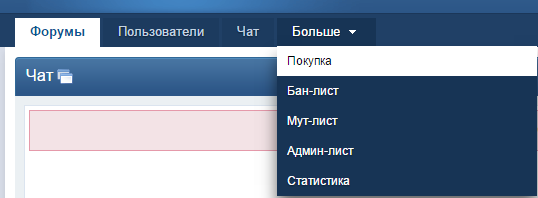
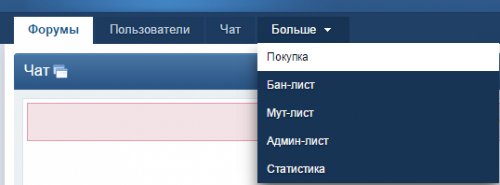
<div id="css-menu"><ul><li><a href="http://vertigo.in.ua/index.php?/forum/10-pokupka/"><span class="text-bottom">Покупка</span></a></li><li><a href="http://vertigo-project.xban.info/index.php?p=banlist"><span class="text-bottom">Бан-лист</span></a></li><li><a href="http://vertigo-project.xban.info/index.php?p=commslist"><span class="text-bottom">Мут-лист</span></a></li><li><a href="http://vertigo-project.xban.info/index.php?p=admins"><span class="text-bottom">Админ-лист</span><li><a href="http://vertigo.myarena.ru/HLS/hlstats.php"><span class="text-bottom">Статистика</span></a></li></ul></div>
-
Добавить верхнее меню выпадающее как IPS сайт было Создаем Меню
-
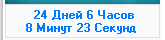
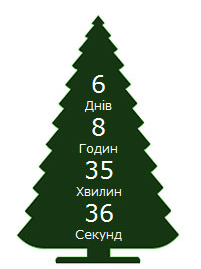
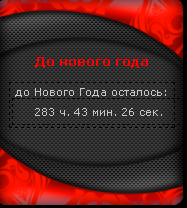
<CENTER> <script type="text/javascript"> function cdtime(container, targetdate){ if (!document.getElementById || !document.getElementById(container)) return this.container=document.getElementById(container) this.currentTime=new Date() this.targetdate=new Date(targetdate) this.timesup=false this.updateTime() } cdtime.prototype.updateTime=function(){ var thisobj=this this.currentTime.setSeconds(this.currentTime.getSeconds()+1) setTimeout(function(){thisobj.updateTime()}, 1000) } cdtime.prototype.displaycountdown=function(baseunit, functionref){ this.baseunit=baseunit this.formatresults=functionref this.showresults() } cdtime.prototype.showresults=function(){ var thisobj=this var timediff=(this.targetdate-this.currentTime)/1000 if (timediff<0){ this.timesup=true this.container.innerHTML=this.formatresults() return } var oneMinute=60 var oneHour=60*60 var oneDay=60*60*24 var dayfield=Math.floor(timediff/oneDay) var hourfield=Math.floor((timediff-dayfield*oneDay)/oneHour) var minutefield=Math.floor((timediff-dayfield*oneDay-hourfield*oneHour)/oneMinute) var secondfield=Math.floor((timediff-dayfield*oneDay-hourfield*oneHour-minutefield*oneMinute)) if (this.baseunit=="hours"){ hourfield=dayfield*24+hourfield dayfield="n/a" } else if (this.baseunit=="minutes"){ minutefield=dayfield*24*60+hourfield*60+minutefield dayfield=hourfield="n/a" } else if (this.baseunit=="seconds"){ var secondfield=timediff dayfield=hourfield=minutefield="n/a" } this.container.innerHTML=this.formatresults(dayfield, hourfield, minutefield, secondfield) setTimeout(function(){thisobj.showresults()}, 1000) } function formatresults2(){ if (this.timesup==false){ var displaystring="<span class='nonewyear'>"+arguments[0]+" Дней "+arguments[1]+" Часов<br>"+arguments[2]+" Минут "+arguments[3]+" Секунд</span> " } else{ var displaystring="<span class='newyear1'>С новым годом!!!</span>" //alert("С новым годом!!!") } return displaystring } </script> <div id="countdowncontainer2"></div> <script type="text/javascript"> var currentyear=new Date().getFullYear() var thischristmasyear=(new Date().getMonth()==0 && new Date().getDate()==1)? currentyear : currentyear + 1 var christmas=new cdtime("countdowncontainer2", "january 1, "+thischristmasyear+" 0:0:00") christmas.displaycountdown("days", formatresults2) </script> </CENTER>И добавить в ipb_styles.css у самий ныз: .nonewyear{ color:#007aff; font: bold 12px MS Sans Serif; padding: 3px; } .newyear1{ color:red; font: bold 12px MS Sans Serif; padding: 3px; } <script type="text/javascript" src="http://s2.tumencev.pp.ua/js/jquery.countdown.js"></script><script type="text/javascript">jQuery(function () { var austDay = new Date(2011, 1, 1, 00, 00, 00) ; austDay = new Date(austDay.getFullYear() + 1, 1 - 1, 1); jQuery('#defaultCountdown').countdown({until: austDay}); jQuery('#year').text(austDay.getFullYear());});</script><style type="text/css" media="screen">.countdown_section{font-size: 80%;text-align: center;display: block}.countdown_amount{font-size: 200%}</style><div class="ny-tree" style="width:165px;height:250px;padding:0px;overflow:hidden;background:url(http://s1.tumencev.pp.ua/images/ny-tree.png) no-repeat 0 0;"><div id="defaultCountdown" style="font-size: 14px;color: #ffffff;font-family: Verdana, Arial;padding-top:50px;"></div></div> <script LANGUAGE="javascript"> document.write('<span id="ny_date">До нового года</span>') function ojidanieNG() { var today = new Date();var BigDay = new Date("January 1, 2016"); var timeLeft = (BigDay.getTime() - today.getTime());var e_daysLeft = timeLeft / 86400000; var daysLeft = Math.floor(e_daysLeft);var e_hrsLeft = (e_daysLeft - daysLeft)*24; var hrsLeft = Math.floor(e_hrsLeft);var e_minsLeft = (e_hrsLeft - hrsLeft)*60; var minsLeft = Math.floor(e_minsLeft);var seksLeft = Math.floor((e_minsLeft - minsLeft)*60);if (BigDay.getTime() > today.getTime() ) document.getElementById("ny_date").innerHTML = 'До <font color=red><b>Нового года</b></font>: <b>'+daysLeft+'</b> дней, <b>'+hrsLeft+'</b> часов, <b>'+minsLeft+'</b> минут, <b>'+seksLeft+'</b> секунд' else document.getElementById("ny_date").innerHTML = '<b>Подзравляем с <font color=red>Новым 2016 годом</font>!!!</b>' } setInterval("ojidanieNG()", 50) </SCRIPT> <div align="center" style='padding:2px; border: 1px dashed black; width: 160px;'> <div align="center" style="width: 160px;">до Нового Года осталось:</div> <div id='x1' align="center" style='padding:6px; border: 1px dashed black; width: 160px;'> </div> <div align="center" ><script Language="javascript"> var timeStr, dateStr, ostStr, x; function clock() { now= new Date(); ex = new Date(2011,0,1,0,0,0); hours= now.getHours(); minutes= now.getMinutes(); seconds= now.getSeconds(); timeStr= "" + hours; timeStr+= ((minutes < 10) ? ":0" : ":") + minutes; date= now.getDate(); month= now.getMonth()+1; year= now.getYear(); dateStr= "" + date; dateStr+= ((month < 10) ? "/0" : "/") + month; dateStr+= "/" + year; ostStr= ""; x = (ex.getTime() - now.getTime())/1000; ostStr = Math.floor(x/60/60) + ' ч. '; ostStr = ostStr + Math.floor((x/60/60 - Math.floor(x/60/60))*60) + ' мин. '; x = (((x/60/60 - Math.floor(x/60/60))*60) - Math.floor((x/60/60 - Math.floor(x/60/60))*60))*60; ostStr = ostStr + Math.floor(x) + ' сек. '; document.getElementById('x1').innerHTML = ' ' + '' + ostStr; Timer= setTimeout("clock()",10); } clock(); </script></div></div>