Invision Community 4
Файли для IPS4
1 489 файлів
-
Плагин отключает входные электронные письма администратора и принудительно устанавливает значение true, таким образом вы можете отправлять почту без одобрения.
- Безкоштовний
- 15 Завантаження
-
Плагин отображает информацию о дате создания форума или количестве лет, месяцев, дней, часов, минут, прошедших с момента его создания.
- Безкоштовний
- 23 Завантаження
-
Плагин даст администратору возможность выбирать, какие реакции сможет использовать каждая группа пользователей по всему набору. Пользователь увидит только разрешенные реакции.
Появится сообщение об ошибке, если пользователь попытается отреагировать напрямую через URL, используя недопустимую реакцию.
- Безкоштовний
- 30 Завантаження
-
- Безкоштовний
- 46 Завантаження
-
Будет отображаться красное предупреждение на всех страницах пакета, если участник заполнен «Входящие». Включено в кухонную раковину с дополнительной опцией, чтобы предупредить через верхнюю часть страницы вместо включенного блока.
- Безкоштовний
- 24 Завантаження
-
Обычно вы можете выполнить то, что вам нужно, установив любое приложение IPS, которое вам нравится, по умолчанию в меню «Приложения» в ACP, но, по-видимому, все еще есть случаи, когда это может не выполнить то, что вам нужно.
В этом нет ничего особенного - вы должны ввести полный URL в настройках. Не копируйте и не вставляйте URL-адрес из адресной строки вашего браузера, которая включает в себя такие вещи, как CSRF = и так далее. Сохраняйте это простым, и вы будете в порядке
- Безкоштовний
- 12 Завантаження
-
- Безкоштовний
- 28 Завантаження
-
Игровой стиль для IPS4.
- Безкоштовний
- 48 Завантаження
-
1) Импортируйте базу данных
AdminCP > Pages > Database > Create New >Upload Templates > Release_Notes_DB.xml For Permissions, EVERYONE can SEE Database and VIEW Records. (Else you can't see the release) For those that are to ADD and EDIT releases give permission "Add Record" "Edit Records" Comments, reviews and rate are turned off so this does not matter 2) Разрешения для базы данных
AdminCP > Pages > Database > Fields [/size][/b] [b][size=4]Please repeat the steps from Title to Additional Information (Anything in publish fields you don't need to touch) • Click on padlock & Follow from screenshot (Those that needs EDIT and ADD are people wanting to add or edit information) [/size][/b] [b][size=4]FPkhX09.png[/size][/b] [b][size=4] 3) Удалить шаблон по умолчанию, который создается
AdminCP > Pages > Templates [b]Here you should see ReleaseNotes (Might have a number after it) • Click on the cogwheel and DELETE 4) Загрузить файл шаблона
We are still in AdminCP > Pages > Templates • Click Upload Templates • Select the "Release Notes Template" • Click Next 5) Добавьте CSS и JS
In Templates click New > New CSS File Name: releasenotes Group: Add to an existing Group Existing Group: CSS Make sure you name it "releasenotes" (Do not add .css or the "") Save [b]You should now have 3 tabs (HTML | CSS | JS) Like the photo below TNw8fB0.png • Click on CSS > Page CSS > releasenotes.css • Paste in the content from the releasenotes.css file that was provided in the zip you downloaded at the first step here ** LINK *** (Just open it in notepad) • Save Now we do the same for JS. Admin > Pages > Templates > New JS file Name: releasenotes Group: Add to an exisiting Group Existing Group: JS • Click on JS > Page JS > releasenotes.js • Paste in the content from the releasenotes.js file that was provided in the zip you downloaded at the first step (Just open it in notepad) • Save 6) Нахождение и добавление правильного field_id
AdminCP > Pages > Databases > Fields • Find Current Release and click on it The ID is displayed in the address bar see image below 6RRznnO.png Take a note of this as we will need it now. So lets continue. AdminCP > Pages > Templates > HTML > Database Templates > Releasenotes > recordrow Find the code (its first a href link from the top) <a href='{$row->url()}' class='cRelease' data-releaseID='{$row->$idField}' {{if $row->fieldValues()['field_22']}}data-currentRelease{{endif}}> Should look something among those lines now change it to something like this <a href='{$row->url()}' class='cRelease' data-releaseID='{$row->$idField}' {{if $row->fieldValues()['field_YOURID']}}data-currentRelease{{endif}}> Where YOURID is the id you just found (see highlighted images a little bit up) And SAVE Great so now The current release is the one that you have in your database, we are missing to fix some small things in the database then create the page. 7) Редактирование настроек базы данных
AdminCP > Pages > Databases > Edit Now lets edit the small changes Listing Template Group: Releasenotes Display Template Group: Releasenotes Database Key: release-notes [b]Go to the Options Tab Sort: Long ID Order: Descending (9-0) That's it Lets go to the last step. ? Создание страницы
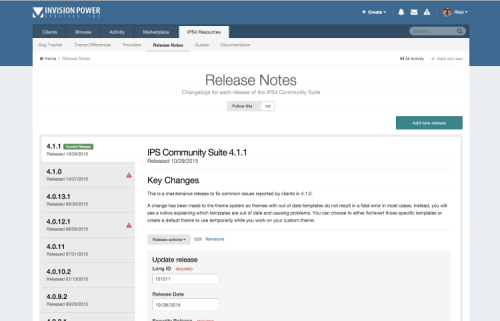
Admin > Pages > Add Page > Manual HTML Leave things default, but change the values below I will go from tab to tab left to right. • Details Name: Releaste Notes • Page Includes [b][size=4]Select both your CSS and JS file from step 5 • Content {database="release-notes"} • If you want you can add it to your menu as well thats up to you ;) Anyways hit save. • Permissions - Who can view the release notes and SAVE. There we go. Created and done, so now you should be able to visit yoursite.com/release-notes Congratulations you got it, should look something among these lines now. So for the information you can click ADD release and this is how it works. • Its sorted on LONG ID (So higher the number the higher to the top it goes. (If you select 0 it will auto increment so it will be the highest) • Current Release will be displayed as a green badge at the side • If you do not put a date it will become "In Development" • Adding Beta Release will show that its a Beta • Adding Security will add a red Triangle to it and show its a security release. • Additional Information is just notes for admins
- Безкоштовний
- 40 Завантаження
-
- Безкоштовний
- 23 Завантаження
-
Плагины интеграции PERSCOM Forum превращают ваши форумы в расширение системы PERSCOM. Плагин интегрирует несколько аспектов системы PERSCOM в такие форумы, как отображение жизненно важных данных о персонале вместе с каждым сообщением на форуме и подключение пользователей форумов к их файлу персонала
- Безкоштовний
- 4 Завантаження
-
Плагин позволит администраторам исключать группы пользователей. Пользователь из выбранных групп также сможет отключать упоминания отдельно в настройках учетной записи.
- Безкоштовний
- 11 Завантаження
-
- Безкоштовний
- 36 Завантаження
-
Плагин предотвратит регистрацию более одной учетной записи с одного и того же IP-адреса. Нет настроек. Просто установите его, и вы хорошо пойдете
- Безкоштовний
- 73 Завантаження
- 1 Коментарів
-
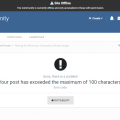
Плагин добавит минимальное и/или максимальное ограничение символов и/или слов в сообщениях для отдельных форумов.может пригодиться, чтобы предотвратить раздражающие короткие сообщения/темы, такие как thnx etc или чрезвычайно длинные сообщения.
- Безкоштовний
- 17 Завантаження
-
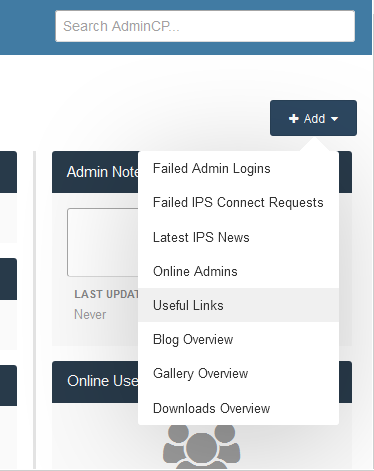
(ENG) This application will allow admins to create shortcuts to most visited pages on the Admin CP
(RUS) Это приложение позволит администраторам создавать ярлыки для большинства посещенных страниц в Admin CP.
- Безкоштовний
- 12 Завантаження
-
Product Details
Invision Community Suite 4.3.6 Business Two Retail Theme Works with the latest versions of these applications: IP.Board 4.3.x Admin Control Panel IP.Commerce IP.Pages IP.Downloads IP.Gallery IP.Blog IP.Calendar Chatbox Clubs Subscriptions & More! Included in the download: Skin XML file for installation
- Matching Admin CP Theme
- All fonts used throughout the skin
- logo.psd
- team-icon.psd
- IBTheme copyright and license agreement
- Links to purchase add-ons like installation, copyright removal, logo text change, etc. Retail Skin
- Безкоштовний
- 11 Завантаження


.thumb.png.392fea6d8a168bc21a0c5c1c04f232d7.png)