RoXen
Користувач
-
Зареєстровано
-
Відвідування
Весь контент RoXen
-
hi how can I display massage for special user group?
-
-
-
hi when you add a gategory for your files in second tab (submissions) in Screenshots section you should enable two option below Allow screenshots? Require screenshots?
-
hi you can add fake members but can't change statics without adding member
-
-
you should contact your host provider and request to increase below values: max_file_size upload_max_filesize post_max_size
-
hi everyone I want to use cron jobs. can someone expalin this tutorial step by step for me?
-
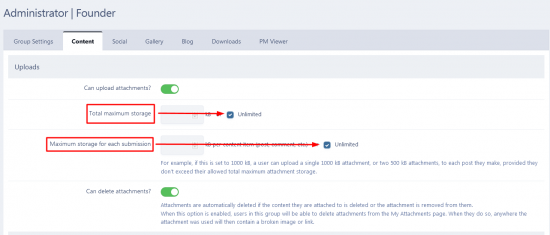
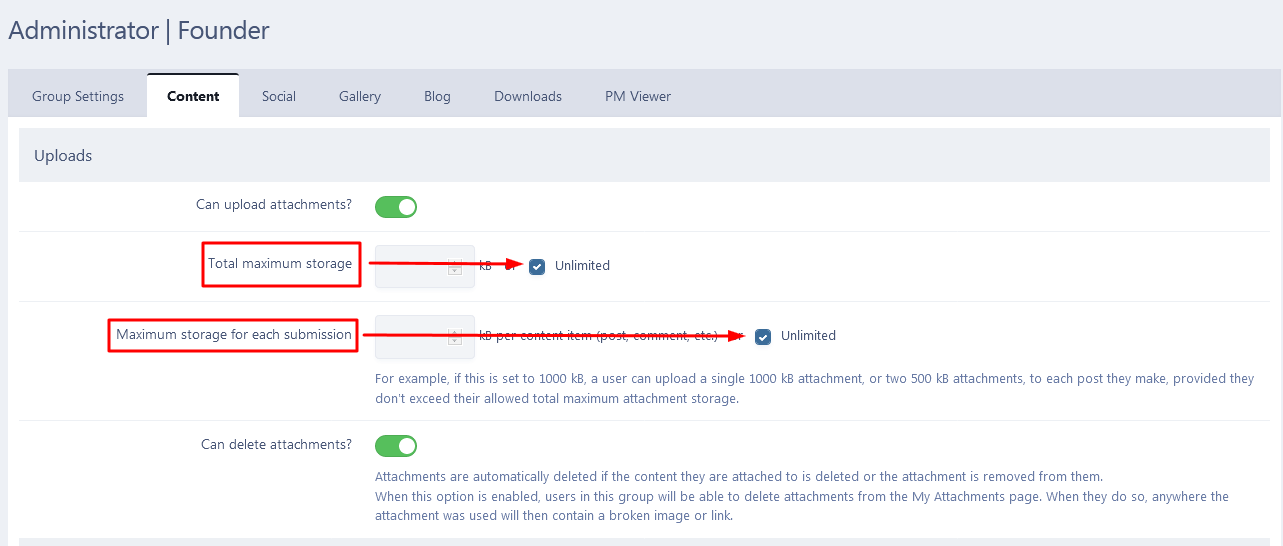
so, go to user groups and edit a group that want to increase post max like below: you just inter the your value or select unlimited option
-
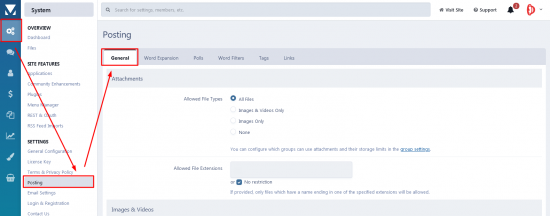
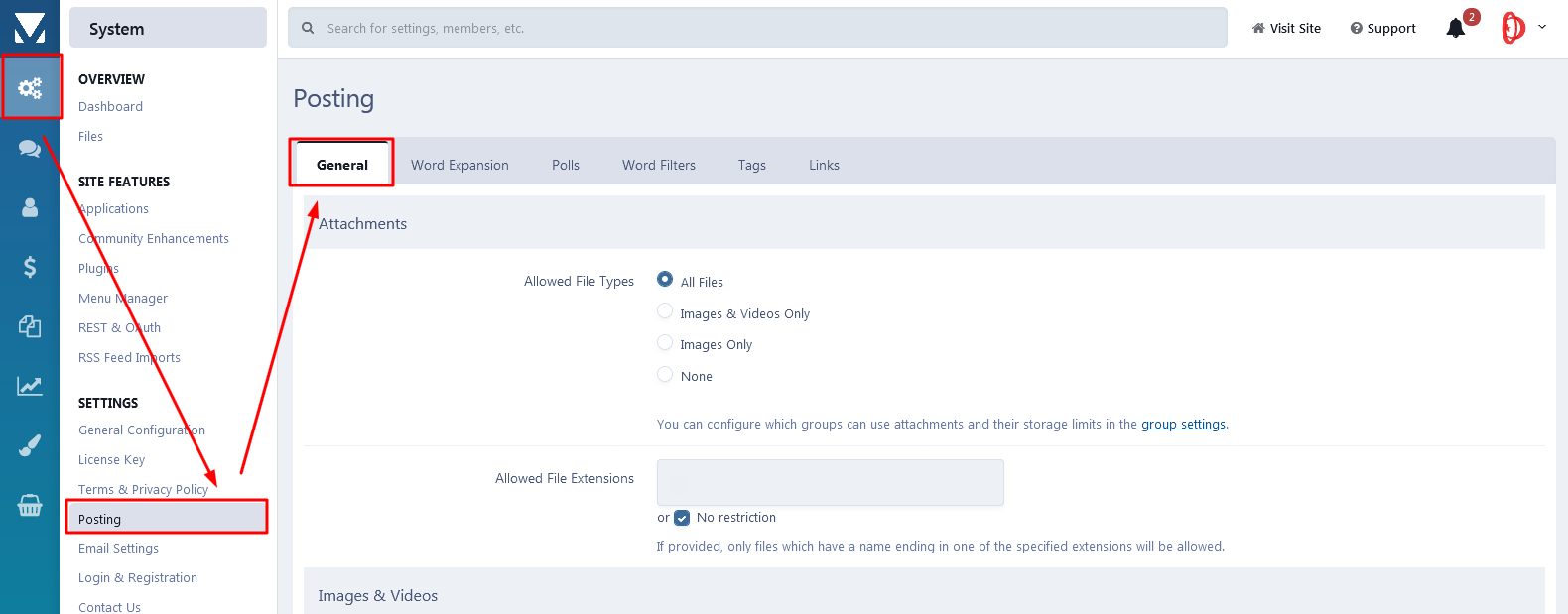
hi. go to setting>posting and on General tab find posting section then change Maximum title length
-
-
send me an access to admin.
-
hi. edit your theme and in the Template tab looking for mobileNavBar then find below and remove that: {{$defaultStream = \IPS\core\Stream::defaultStream();}} <li {{if !\IPS\Member::loggedIn()->canAccessModule( \IPS\Application\Module::get( 'core', 'discover' ) ) }}class='ipsHide'{{endif}}> <a data-action="defaultStream" href='{{if $defaultStream}}{$defaultStream->url()}{{else}}{url="app=core&module=discover&controller=streams" seoTemplate="discover_all"}{{endif}}'><i class="fa fa-newspaper-o" aria-hidden="true"></i></a> </li> good luck!
-
custom.css
-
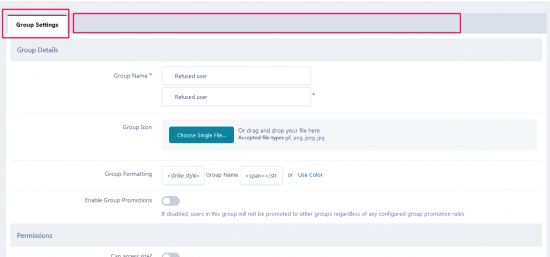
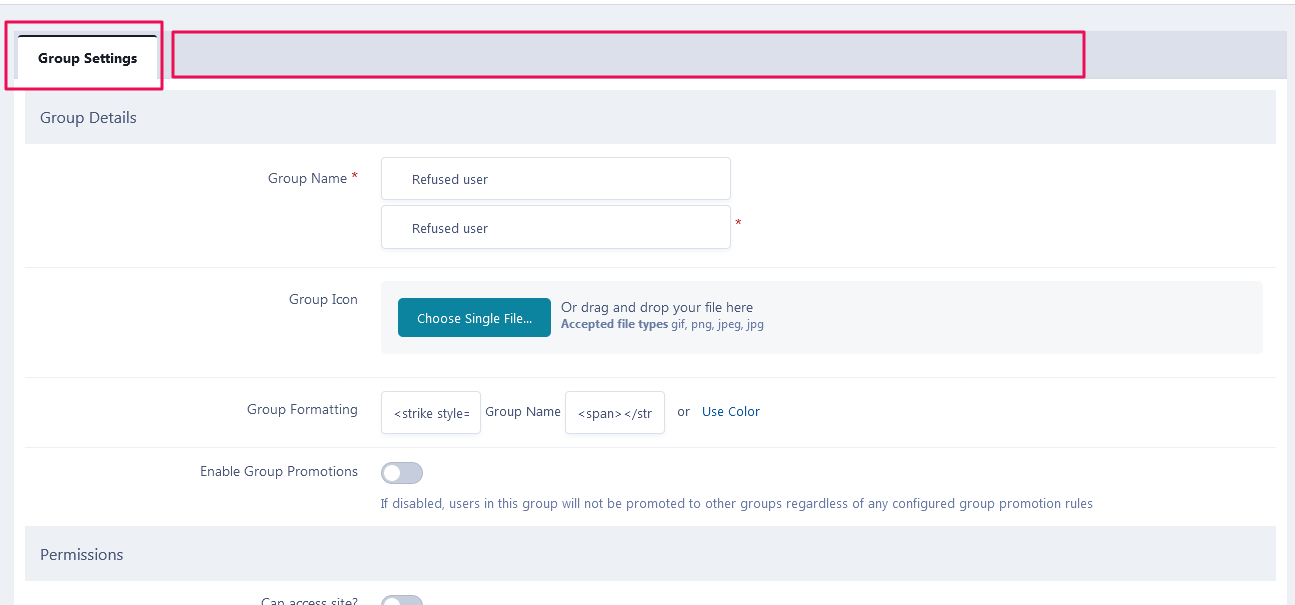
how can I make a banned user group with one tab setting like below? tnx
-
clear your browser cache and try again
-
hi there go to customization > languages and click on "translate" like below: then in the search field click on symbol now search for chatbox and change it to your word
.png.e583e350649936530b414290829f1a58.png)

-
it doesn't work for me on 4.5.4
-
-
-
thanks to reply. but I meant the author panel (postbit), not the main menu. If you look at the given URL you will understand what I mean
.thumb.png.2cf84bbbcd15fbb802806c21b538ec93.png)
-
hi everybody how can I do a sticky author panel like this theme? theme's name: Dimension
-
really thanks ?
-
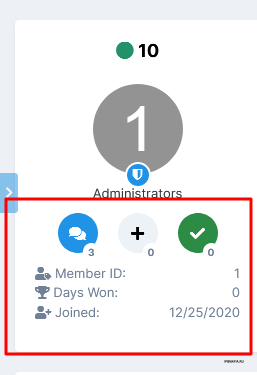
hi how can I add this to postbit? thanks in advance
-

.png.7eb7e33133e4a955f01a80894657b478.png)